The terminal build
03 / the real thingcsakura — 20 fps
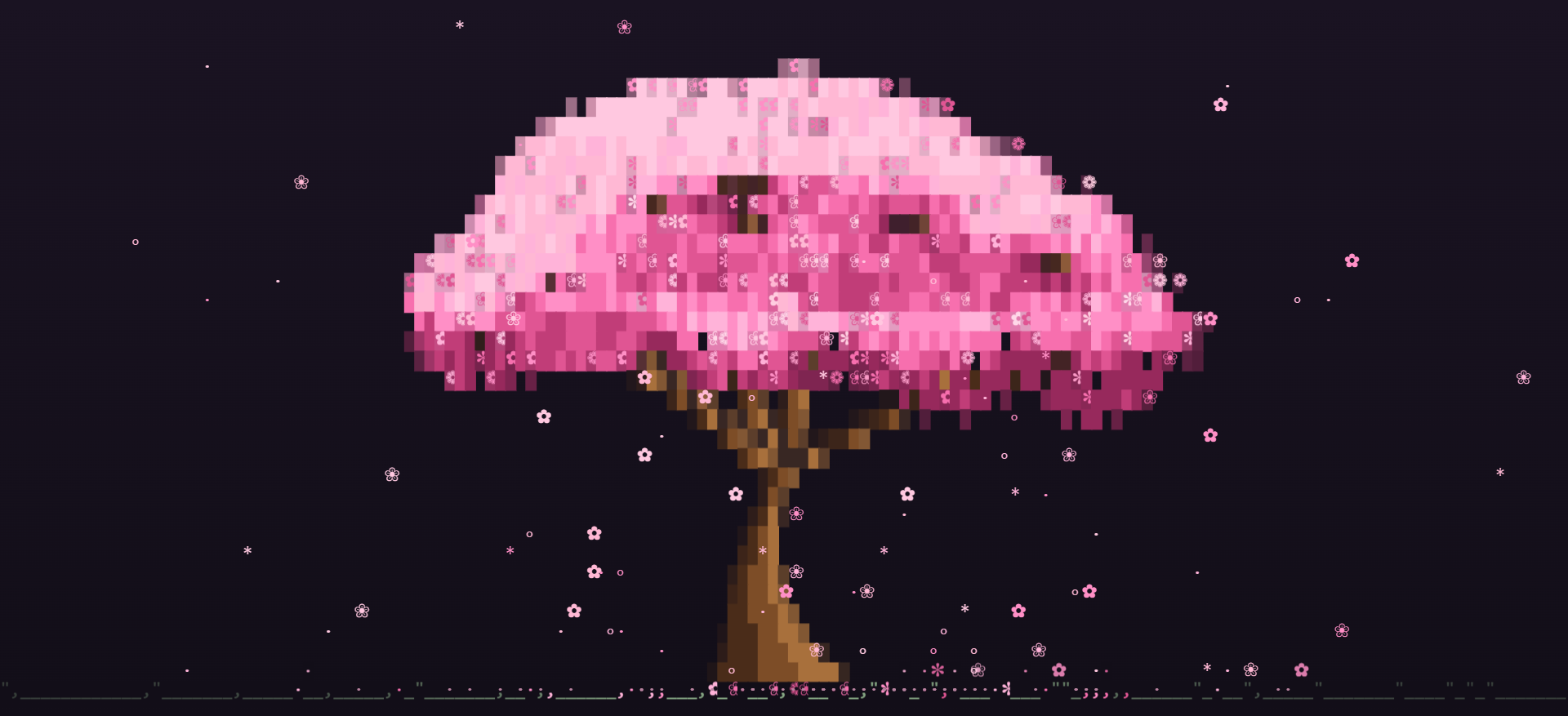
A cherry tree that grows in your terminal.
I made this with C99 and ncurses. Branches grow, petals fall, and the wind changes. Each new tree looks a little different.
Saved GitHub figures: 28 August 2026. Counts refresh when the data is available.
This is one of my projects made for the pleasure of making it. A small tree, built entirely from terminal characters, with petals drifting through the window.
The shape is generated each time it runs. Branches grow first, and the blossom follows their shape. Press r if you want to grow another.
I added installation options for Arch, macOS, and Nix, alongside building it from source. The commands are below if you want to try it in your own terminal.
There are fallbacks for simpler terminals too: flat colours for limited palettes, and an ASCII mode for fonts without the blossom characters.
I broke the blossom into uneven clusters so the canopy has gaps and variation.
A light direction gives the top-left side brighter cells and leaves the underside in shade.
The branches remain visible through gaps in the blossom, connecting the canopy back to the trunk.
Partial block characters help the trunk and branches narrow gradually along their edges.
Foreground and background colours work together to give each character cell a little more depth.
The renderer adjusts the tree to the available rows and columns, including narrow terminal panes.
# from the AUR, with yay or paru
yay -S csakura        # latest release
yay -S csakura-git    # builds from main
# or the PKGBUILD by hand
sudo pacman -S --needed base-devel ncurses
git clone https://github.com/realstrawhat/csakura.git
cd csakura
makepkg -si
# the repo doubles as its own tap — nothing to clone
brew tap realstrawhat/csakura https://github.com/realstrawhat/csakura
brew install realstrawhat/csakura/csakura         # latest release
brew install --HEAD realstrawhat/csakura/csakura  # builds from main
# needs a C compiler and wide-char ncurses
# libncursesw5-dev / ncurses-devel
git clone https://github.com/realstrawhat/csakura.git
cd csakura
make && sudo make install
# flake, no clone needed
nix run github:realstrawhat/csakura
csakura [options]

  -f FPS    frames per second, 5-60   (20)
  -p NUM    petal density, 1-10       (5)
  -w NUM    wind strength, 0-10       (1)
  -c NAME   blossom palette           (sakura)
  -a        ASCII glyphs only
  -t        flat mode, no cell backgrounds
  -h        help
  -v        version
csakura -f 12 -p 3      # chill, low CPU, side pane
csakura -p 10 -w 6      # windy petal storm
csakura -c mint         # mint palette
csakura -t              # let a transparent terminal through
Keyboard controls
Something calm to leave running in a terminal window.
Terminals differ in colours, fonts and pane sizes, so the tree has to adapt.
Uneven blossom clusters, light from the top left, branches showing through the gaps.
C and ncurses, a new tree every run, flat-colour and ASCII fallbacks, and a web preview.
Open source, with installs for Arch, macOS and Nix.